
Trinity Health MyChart
Trinity Information Services Web DevelopmentMedical
4.22.27K Reviews
- Version
- 11.5.2
- Installs
- 500.00K
- Age Rating
- Everyone
Screenshots
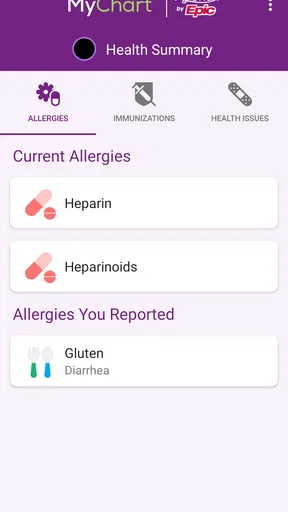
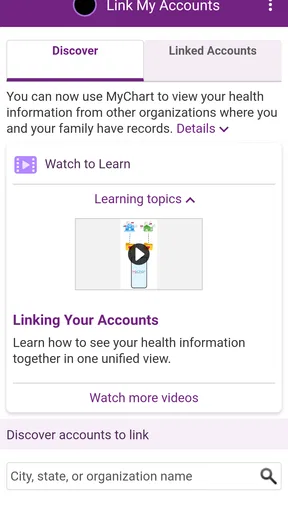
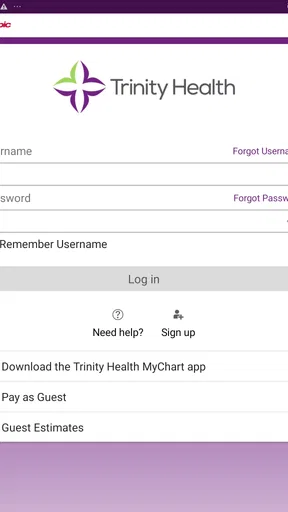
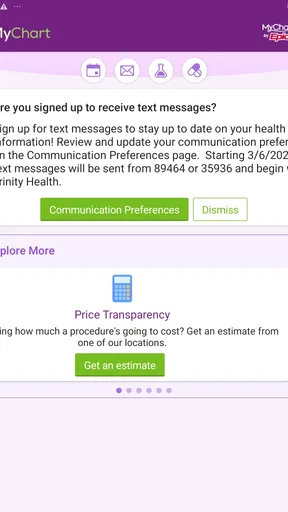
Our Review of Trinity Health MyChart
 Analysis by Appyee
Managing healthcare from a phone sounds simple until an appointment needs changing, a prescription question comes up, or an important message is buried in a crowded inbox. Trinity Health MyChart is built for those moments, using a Trinity Health MyChart account to put personal health information and related tasks in one mobile place. I found it most useful as a companion to an existing care relationship rather than as a replacement for a clinic, pharmacy, or emergency service.
The app sits in the medical category and is developed by Trinity Information Services Web Development. It is free to use, rated for Everyone, and supports devices running Android 9 or later. Its current version is 11.5.2. Those details make it approachable for many households, although the real deciding factor is not the price or age rating; it is whether your healthcare organization and account are connected to the Trinity Health MyChart system.
How connectivity shapes everyday health management
When I rely on a health app, the connection is part of the workflow: it can make routine checks easier, but it should not be the only route I count on when timing matters. I find it useful to decide in advance which tasks are fine to handle on a phone and which deserve a direct conversation, so a slow screen does not become a source of uncertainty. That distinction also helps clarify where the app fits among other ways to manage care.
The useful moments happen when the network is available
My first practical lesson with this kind of app is that connectivity is part of the experience, not a background detail. When the phone has a reliable connection, the app can act as a convenient doorway to health information that would otherwise require a call, a desktop browser, or a visit to a clinic. That is especially helpful when I am away from home and need to check something before speaking with a healthcare professional.
A realistic example is preparing for a morning appointment. I can open the app before leaving, review the information already associated with my account, and avoid searching through old messages or paperwork. If I need to contact the care team, the mobile format is more convenient than waiting until I have access to a computer. The benefit is not that the phone changes healthcare; it reduces the small bits of friction around it.
That convenience depends on successful communication with the service. A weak signal, crowded public Wi-Fi, or a temporary service interruption can make a page take longer to load or prevent an action from completing. I would not treat the app as the only place to keep information needed during an urgent situation. For immediate medical danger, a digital account is the wrong tool; direct emergency help is more appropriate.
There is also an important distinction between reading information and acting on it. A page that has already opened may remain visible while a new request, message, or update still needs a connection to reach the healthcare system. I make a habit of checking that an action has clearly completed before closing the app. That small pause matters when the task involves an appointment request or a message that I expect someone to receive.
Why the mobile setting changes the workflow
Using a phone changes how I approach health administration. On a computer, I tend to sit down and handle several tasks together. On a mobile device, I am more likely to check one detail while traveling, between errands, or just before calling a clinic. That makes Trinity Health MyChart valuable for short, focused sessions rather than long periods of browsing.
The smaller screen is both a strength and a limitation. It keeps the experience direct, but it can make long medical information harder to scan than it would be on a larger display. I prefer using the app for a quick check, a timely message, or an account task, then moving to a larger screen when I need to compare several pieces of information carefully. Someone who dislikes reading detailed health content on a phone may find the browser experience more comfortable.
Mobile connectivity also creates a useful habit: check the app when the network is stable, not only when a deadline is already pressing. If I know I have an appointment coming up, reviewing the relevant information earlier gives me time to deal with a login problem or contact the clinic through another route. Waiting until I am standing outside the facility, with poor reception and limited time, is the least reliable way to use any connected health service.
The app is particularly suitable for people who already use their phone as the main organizer for daily responsibilities. It can fit naturally beside calendars, reminders, and communication tools. However, I would not recommend making it the sole memory system for health information. A phone can be lost, a connection can fail, and an account can require attention at exactly the moment when access is inconvenient.
What happens when access fails
Failure and recovery are where a medical app earns or loses trust. When a screen does not load, I want to know whether the problem is my connection, the account session, the device, or the service itself. A calm recovery process starts with simple checks: confirm the phone is online, try a different connection if available, reopen the app, and make sure the intended action did not already go through before trying again.
That last step is easy to overlook. Repeating a request because the confirmation screen was slow can create confusion. I would first look for evidence that the appointment or message was recorded, then contact the relevant healthcare office if the result remains unclear. For a time-sensitive issue, calling is safer than repeatedly tapping a mobile screen and assuming the latest attempt replaced the earlier one.
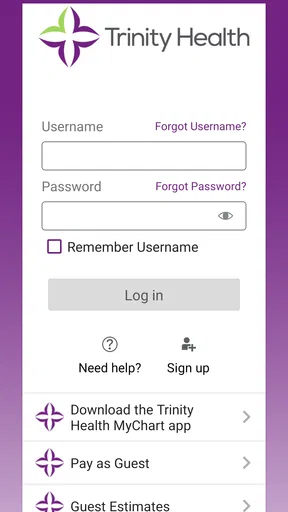
Account access deserves the same caution. If I cannot sign in, I avoid creating a second account or changing several details at once without understanding the result. A patient portal is tied to personal information, so recovery should be deliberate. I keep the account details I need in a secure place and avoid handling them on an unfamiliar public device.
Connectivity problems can also expose a practical trade-off: the app is more convenient than a phone call for routine administration, but a phone call remains the better fallback when the mobile route is unavailable or when the matter is too important to leave uncertain. The best approach is not to choose one method forever. I use the app for convenience and keep the clinic’s normal contact route available for recovery.
Using the app without being careless with personal data
Health information deserves more attention than ordinary app content. I use Trinity Health MyChart in situations where other people cannot easily see my screen, especially when reviewing personal details or composing a message. A crowded waiting room, a shared household tablet, or an unlocked phone can turn a convenient check into an unnecessary privacy risk.
I also avoid sending sensitive information through the wrong conversation or leaving a detailed message visible in notifications. Before submitting anything, I reread the recipient and the wording. This is one of the less obvious advantages of slowing down on mobile: a short message can be useful, but a rushed message may omit context or expose more information than necessary.
Connection quality matters here too. I prefer a trusted network for account activity and avoid assuming that any available public connection is suitable for personal health tasks. If I am using mobile data, I keep the session focused and close it when finished. These are ordinary habits, but they are especially worthwhile when the app is handling medical information rather than shopping or entertainment.
Another sensible practice is separating information checking from clinical interpretation. Seeing a result or health record in an app does not automatically explain what it means for me. I would use the available communication route to ask a qualified healthcare professional when something is unclear instead of treating the portal as a diagnostic authority. The app helps me reach and organize information; it does not replace professional judgment.
Where it fits beside the usual alternatives
The most obvious alternative is calling the healthcare office. A call is often better for a complicated situation, an urgent clarification, or a problem that needs a conversation. The app is usually better for a quick account check or routine task when I do not want to wait on hold. In practice, the two methods complement each other rather than compete.
A desktop browser is another alternative. I prefer a larger screen when I need to read carefully, review several sections, or type a longer message. The phone app wins when speed and availability matter. Its value comes from being close at hand, but that same convenience can encourage rushed decisions or use in places where privacy is poor.
General health and fitness apps serve a different purpose. They may help track habits or measurements, while Trinity Health MyChart is centered on the relationship between a patient and the Trinity Health account. I would not choose it as a general wellness tracker, and I would not expect a wellness app to provide the same account-based healthcare context. The right choice depends on whether I need personal care administration or broader lifestyle tracking.
For someone whose provider does not use this portal, the app is unlikely to become useful simply because it is installed. That is the main situation in which I would skip it. It is also not the right choice for a person who needs immediate assistance, dislikes managing online accounts, or wants a fully offline reference tool. Its strengths appear when the user already has a compatible care connection and wants a mobile route for ordinary health-management tasks.
Small habits that make the experience smoother
- Check connectivity before starting an important task. A stable connection reduces the chance of abandoning a request halfway through.
- Read confirmation details before leaving the screen. If the result is unclear, verify through the account or contact the healthcare office instead of submitting the same request repeatedly.
- Use the phone for short tasks and a larger screen for dense reading. This reduces eye strain and makes it easier to notice details in longer health information.
- Keep a non-app fallback for urgent or time-sensitive matters. A patient portal should support communication, not become the only route to care.
- Review messages before sending them and avoid opening personal information where nearby people can see the display.
These habits reveal the app’s real trade-off. It can save time, but only when I treat it as a connected service with account and privacy responsibilities. Installing it is easy; building a dependable routine around it takes a little more care.
My overall view of the connected experience
Trinity Health MyChart has a clear role: it brings a Trinity Health MyChart account into a mobile setting so routine health information and communication are easier to reach. I like it most for quick checks and administrative moments that would otherwise require a browser or a call. Its free availability and Everyone rating make it easy to consider, while its support for Android 9 and later covers many still-used phones.
Its limitations are just as important. The experience relies on account access and a working connection, the small screen is not ideal for every kind of reading, and the app should not be treated as an emergency channel or a substitute for professional advice. People outside the Trinity Health ecosystem, or those looking for offline health storage, should look elsewhere or use a different method.
The app has reached over half a million installs and holds an average rating of 4.2 from around 4.2 thousand ratings, which suggests a substantial audience has found value in this approach. I would read that as reassurance that the concept is useful, not as a guarantee that every workflow will suit every patient. Portal experiences can depend heavily on the connected healthcare relationship and on how often someone needs to use them.
For me, the strongest recommendation is practical: install it if you already have a Trinity Health MyChart account, regularly manage care through Trinity Health, and want a convenient mobile option for routine tasks. Keep phone contact available for failures and urgent questions, protect the screen and account, and verify that important actions actually completed. Used with those boundaries, Trinity Health MyChart is a sensible companion for connected healthcare rather than an all-purpose medical solution.
Privacy and Permissions
See what permissions an app requests and how it handles your data.
- Location
- approximate location (network-based), precise location (GPS and network-based)
- Phone
- directly call phone numbers
- Photos/Media/Files
- read the contents of your USB storage, modify or delete the contents of your USB storage
- Storage
- read the contents of your USB storage, modify or delete the contents of your USB storage
- Camera
- take pictures and videos
- Microphone
- record audio
- Other
- view network connections, pair with Bluetooth devices, access Bluetooth settings, full network access, change your audio settings, run at startup, control vibration, prevent device from sleeping
Verdict
Strengths of Trinity Health MyChart
- Secure access to medical records, test results, and care summaries in one place.
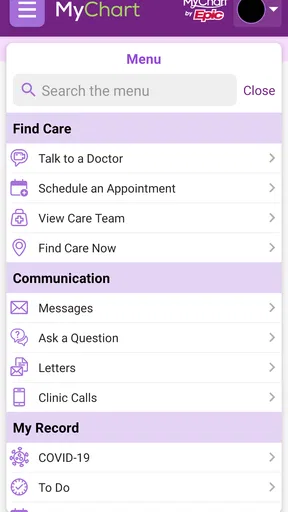
- Appointment scheduling and reminders help simplify routine healthcare management.
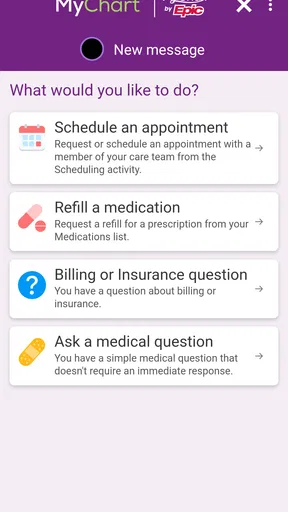
- Prescription refill requests can reduce calls to the doctor’s office.
- Direct messaging supports convenient communication with participating care teams.
- Proxy access lets authorized users help manage a family member’s healthcare.
Limitations of Trinity Health MyChart
- Features depend on Trinity Health participation and may vary by location.
- Some results can be difficult to understand without additional medical guidance.
- Messages may not receive immediate replies, so it is not for urgent concerns.
- Account verification and login security steps can make first-time setup slower.
- The app may feel less useful if most of your providers use other health systems.
Similar Picks in This Category
View All
WebMD: Symptom Checker
WebMD, LLC4.1

Microphone Amplifier
DOSA Apps4.2

Anatomy Learning - 3D Anatomy
3D Medical OU4.5

Period Tracker and Calendar
SimpleInnovation4.9

GoodRx: Prescription Coupons
GoodRx4.8

CVS Health
CVS Pharmacy4.5
Frequently Asked Questions
What is Trinity Health MyChart used for?
Trinity Health MyChart is a patient portal that helps eligible Trinity Health patients manage parts of their healthcare online. After signing in, you may be able to view medical records, test results, medications, visit summaries, and upcoming appointments. Available features can vary by Trinity Health location, provider, and the type of care you have received.
How do I create or activate a Trinity Health MyChart account?
You can usually register through the Trinity Health MyChart website or mobile app using an activation code provided by your healthcare organization. Some patients may be able to verify their identity online without a code. You will need accurate personal information and a secure email address or phone number. If registration fails, contact your local Trinity Health support team.
Can I schedule appointments and communicate with my doctor through the app?
Depending on your provider and location, Trinity Health MyChart may allow you to request or schedule certain appointments, review upcoming visits, and send secure messages to participating care teams. Not every appointment type can be booked online, and message response times may vary. For urgent symptoms, do not wait for a portal reply—contact a medical professional directly.
Can Trinity Health MyChart be used for video visits or prescription refills?
Some Trinity Health patients may use MyChart to join eligible video appointments, request prescription renewals, review medication instructions, or check pharmacy information. These options depend on your provider, insurance, medication, and local Trinity Health services. The app does not replace a pharmacist or clinician, and controlled medications or certain prescriptions may require an in-person consultation.
Is Trinity Health MyChart secure, and what should I do if I forget my password?
Trinity Health MyChart is designed to protect your health information through account authentication and secure access, but you should still use a strong, private password and avoid signing in on shared devices. If you forget your password, use the password-reset option on the login screen. Contact official Trinity Health support if you cannot verify your identity or suspect unauthorized access.
